
Using CareConnect you can send SMS messages to patients without needing to go back into the agent portal. You will only be able to use this feature if you are part of an SMS queue and have SMS functionality enabled.
Send an SMS message #
To send an SMS call you either need to have made the patient the active patient within EMIS or SystmOne or have the patients number to hand so you can search for them within CareConnect.
- If you have already made the patient the active patient in EMIS or SystmOne you can simply click the active patient icon in CareConnect and then follow the steps below to send an SMS message.
- If you haven’t made the patient the active patient but you have their phone number to hand you can use the search functionality in CareConnect to find the patients details and then send an SMS message.
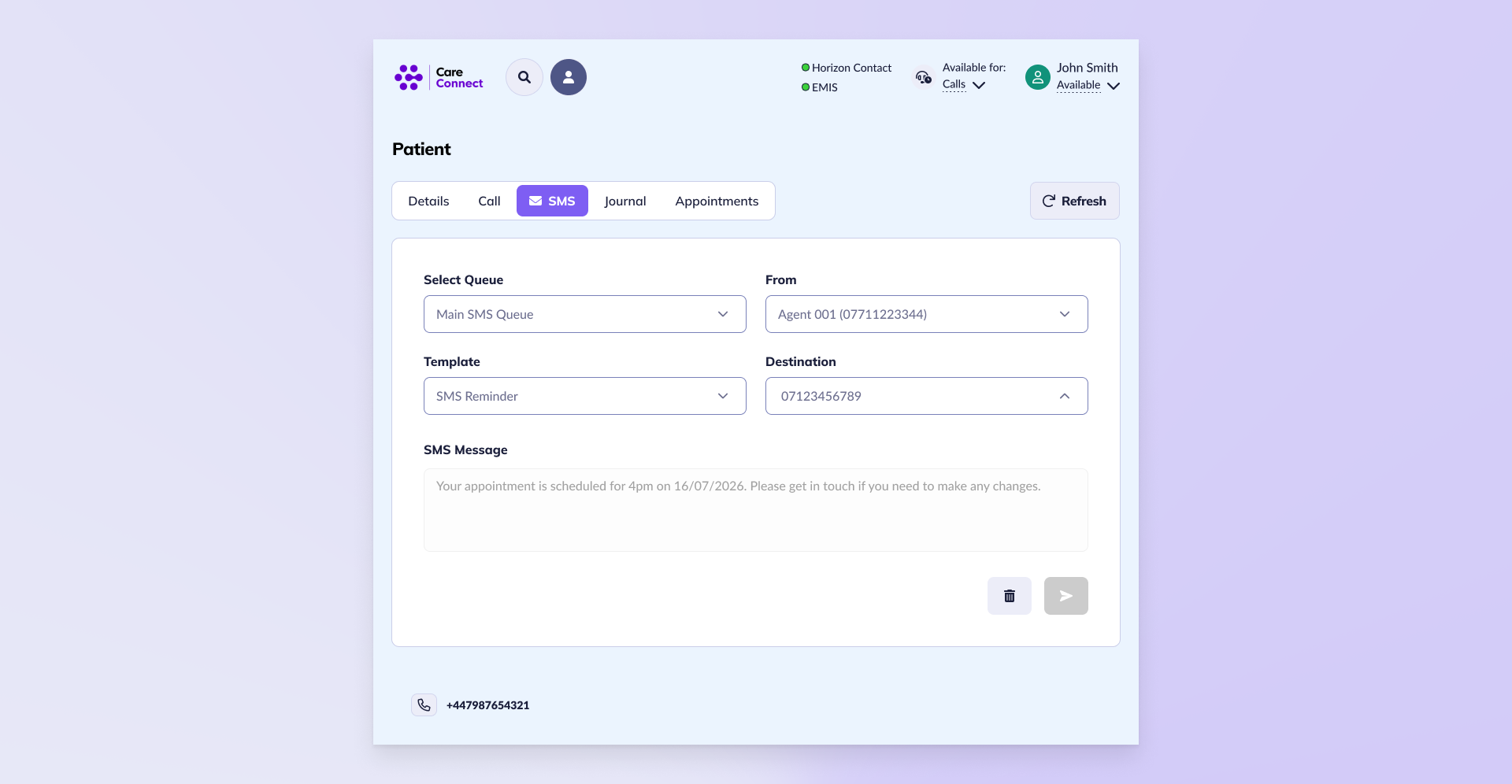
- Select the SMS tab when viewing a patients details
- Select the Queue that the SMS will be processed through
- Choose where the SMS should be sent From
- Select a template if required
- Choose the destination to send the SMS to
- If the template is editable you can edit the message as required
- Click Send
The SMS message will be sent.