
Webchat templates allow you to insert pre-written responses into chats, helping to speed up communication and ensure consistent, professional messaging. Templates are only available if they have been created and configured by your company administrator.
Using templates can reduce typing time, support accurate responses to common queries, and help maintain a consistent tone across customer conversations. In some cases, a template may be automatically inserted into your response if one has been defined by your company administrator.
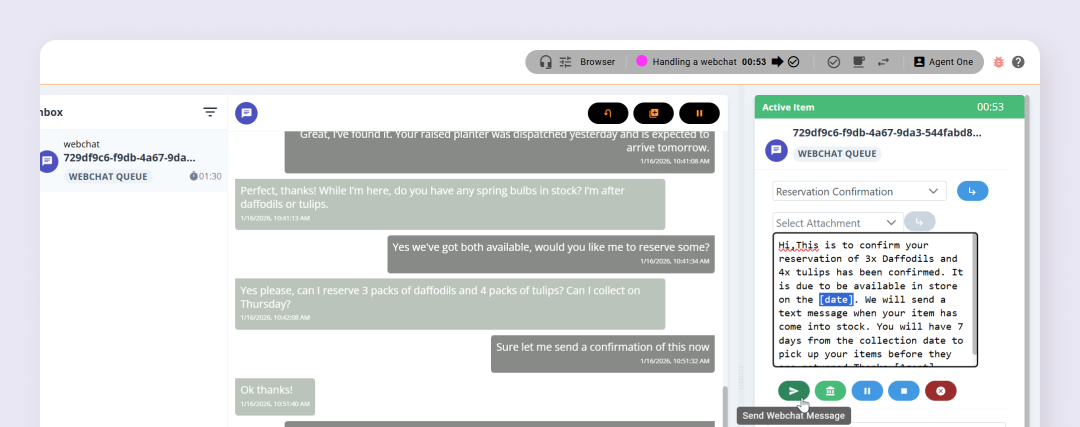
Templates may also include placeholders for you to complete, such as your name or identification number. You can insert multiple templates into the same message, and the same template can be used more than once if needed. Always review and personalise the content before sending it to the customer.
Insert a template #
To insert a template you first need to be working on an active webchat. If templates have been defined by your company administrator you will see a template dropdown list in the Active Item dialog.

Select the relevant template and it will be inserted into the chat. Make sure to review any placeholders and fill in any information as required.
Continue working on the chat to resolve the customer inquiry.