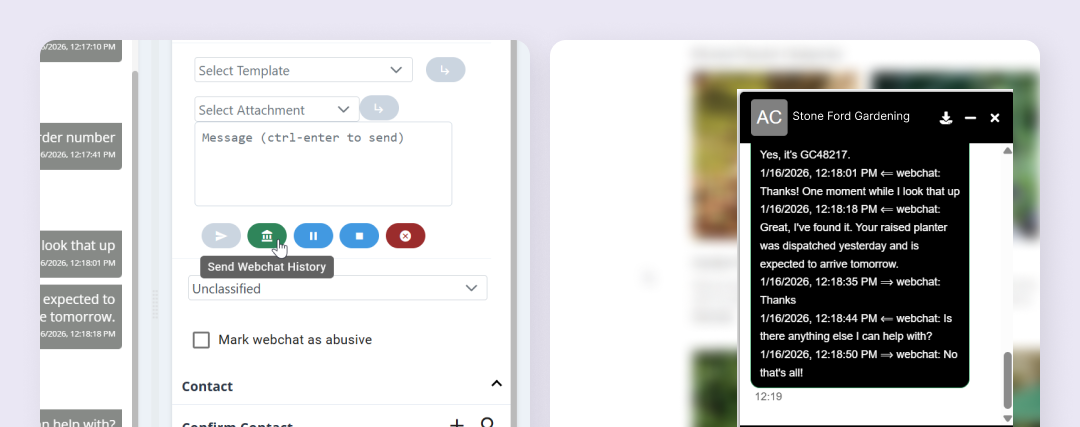
If required, you can choose to share the history of a webchat with the customer. Sending the chat history provides a copy of the messages exchanged during the conversation and can be useful when referring back to earlier information, verifying details, or helping a customer understand a previous response.
Chat history needs to be sent while the webchat is still active, but after both you and the customer have finished the conversation. Please note that customers using the remote web client may also have the option to save a local copy of the conversation to their own device.
To share chat history with a customer click the history icon and a full transcription of the webchat will be sent to the customer.